
Vita Mahjong Ads
Vita Mahjong is free to download and includes advertising and optional purchases. Rewarded videos, such as an offer to double task rewards, are different from ads shown during ordinary play. Before paying for Remove Ads or a subscription, read the exact offer in your installed game: a store product name does not establish that every kind of video disappears.
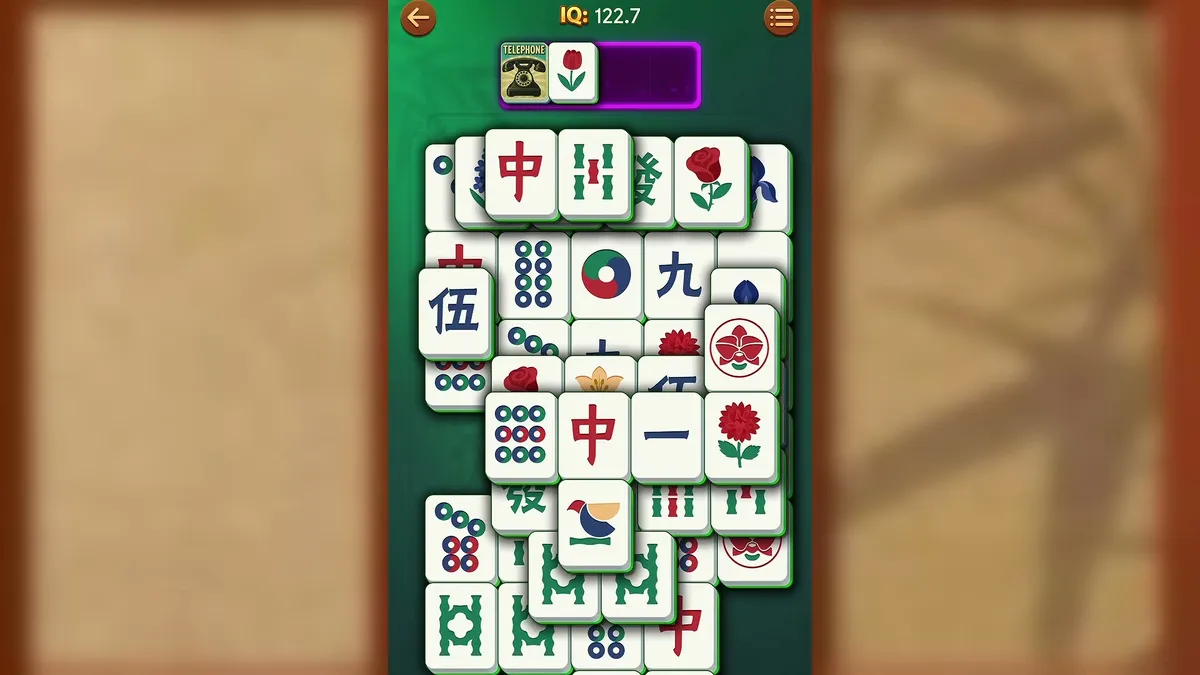
Regular ads and optional reward videos
The task system described in the game has three daily tasks with three stages. Completing a first stage awards one hint and one shuffle; the second and third stages award two of each. A video offer can double a stage's reward. Choosing the normal reward instead does not make that completed task disappear.
This is separate from advertising between portions of normal play. An offer to watch a video for extra helpers is a transaction you choose for a particular reward. An ad-removal purchase may have a different scope. Check the wording beside the purchase rather than treating every ad button as evidence that a payment failed.
The game modes guide distinguishes tasks from the Daily calendar puzzle. For advice on when to spend the helpers you earn, see hints and shuffle strategy.
US prices and what they do not tell you
The US App Store listing checked on November 5, 2026 included the products below. They are a dated store snapshot, not a quote for every player: Android, other regions and individual in-game offers can show different prices. The purchase confirmation screen is the place to check the amount and billing schedule before approving a charge.
The Russian listing used by the original guide had different ruble prices and more than one similarly named ad-removal product. Those prices are not converted into dollar estimates here. Read the name of the particular product you are buying, especially when two offers look alike.
| US App Store product | Listed price | Billing distinction |
|---|---|---|
| Mahjong Ads Remove | $5.99 | Ad-removal in-app purchase; read the offer's scope |
| Weekly Subscription | $2.99 | Recurring weekly subscription |
| Monthly Subscription | $5.99 | Recurring monthly subscription |
| Yearly Subscription | $19.99 | Recurring annual subscription |
One-time purchase or recurring subscription?
A one-time ad-removal product and a subscription are not interchangeable. A one-time purchase is charged for that product; a subscription renews on its stated schedule until canceled. The subscription may include benefits beyond advertising, so compare the listed benefits with what you actually want.
Do not assume that buying any subscription removes all optional reward videos. Nor should the existence of a Remove Ads product be taken as proof that every paid offer contains it. Confirm the benefits, whether renewal is enabled, and the account used for billing before completing the store confirmation.
The game also sells other in-app items and bundles. A large purchase button can lead to a different product from the small ad-removal offer you were looking for. Check the full price and product name each time. If you bought something on another device, use the purchase and account checks before buying it again.
Cancel a subscription in the store
Android: open Google Play using the account that paid, go to Payments & subscriptions, then Subscriptions. Select Vita Mahjong, choose Cancel subscription and complete the confirmation. If the subscription is missing, check which Google account appears on the receipt.
iPhone or iPad: open Settings, tap your name and choose Subscriptions. Open the Vita Mahjong subscription and use Cancel Subscription. Apple notes that an expiration message or no cancel button can mean renewal is already canceled.
Check the displayed end date after canceling. Canceling renewal generally leaves access for the period already paid; it does not mean an immediate refund. The benefits that remain are the benefits of your actual purchase, not a promise that every video in the game will disappear. Removing an app does not cancel its subscription.
Use the current Google Play cancellation instructions or Apple subscription instructions if the menu differs on your device.
Other options and download safety
Avoid modified APKs advertised as unlocked or ad-free. They are not the official store download, and neither their safety nor their update and save behavior is assured. The download page provides official links. If you are helping an older relative, explain how an advertisement differs from the board and how to wait for its close button; the getting-started guide covers that setup.
For a separate game without installing the Vita Mahjong app, try Mah in the browser. It has its own controls and settings. The Vita Mahjong rules explain the mobile game's matching and combo system.
Frequently asked questions
Do I have to watch every advertising video?
Optional reward videos can be declined: you receive the normal reward instead of the advertised bonus. Ads during ordinary play are a different category. If you want to pay to reduce those ads, read the specific Remove Ads offer before buying; do not assume that it removes every optional video button. For a regular ad interrupting play, wait for its close or skip control to appear. Declining a reward offer does not disable ordinary ads. Paid reductions depend on the exact offer.
Does the task video double my hints and shuffles?
The task reward offer described in the game doubles the displayed reward when its video requirement is completed. Check the amount on that particular task and let the video finish through its normal flow. If a reward is missing, report the task and time to support rather than repeatedly buying helpers.
What does a Vita Mahjong subscription include?
The purchase screen lists the benefits of the subscription offered to you and its billing period. Weekly, monthly and yearly products recur on their own schedules. The public product list alone does not establish that all subscriptions have identical ad-removal benefits, so compare the in-game details before confirming payment.
How do I stop renewal on Android?
In Google Play, use the account shown on your receipt, open Payments & subscriptions, then Subscriptions, select Vita Mahjong and cancel. Complete any confirmation steps and check the end date. Uninstalling the game does not stop the subscription, and cancellation does not automatically refund an earlier charge.
How do I stop renewal on an iPhone?
Open Settings, tap your name, choose Subscriptions and select the game's subscription. Tap Cancel Subscription if the option is available, then check the expiration information. If it is not listed, find the Apple receipt and check the account used for that purchase before looking for another cancellation route.
Should I install a modified ad-free version?
Use the official store listings instead. A modified package downloaded elsewhere does not establish who changed it, whether it can update safely, or whether its progress works with your account. The legitimate alternatives are to read the game's paid offers, decline optional rewards, or choose a separate browser game.