
Vita Mahjong Download
Use the official Google Play listing for Android or the App Store listing for iPhone and iPad. Both identify the Vita Studio game. This page also explains store differences, installation problems, older APK versions and why a similarly named Windows download is a separate product.
Choose the correct store listing
Google Play and Apple’s App Store are the primary links for this English guide. Check the developer and package identity rather than the icon alone. The Russian source also lists RuStore as an Android alternative; regional availability, billing and updates can differ, so do not assume identical purchase handling across stores.
| Store | Device | Identity or limitation |
|---|---|---|
| Google Play | Android phone or tablet | Package com.vitastudio.mahjong; official primary Android link. |
| App Store | iPhone and iPad; listed Apple-silicon Mac compatibility | App ID 6468921495. Mac is listed as not verified for macOS. |
| RuStore | Android, where available | Regional alternative recorded in the source; verify the current publisher and listing. |
| Microsoft Store | Windows | Vita Mahjong: 120 Layouts is by Stgames, a different product. See the PC guide. |
Age ratings and language
The source store snapshot recorded a 3+ Google Play rating and 13+ on Apple. Ratings depend on the store and region and can change, so use the current listing shown for your account. A simple tile game can still include ads, purchases and online services; a rating difference is not proof that either store is wrong.
The developer description lists support for 62 languages, including English. The initial language follows device or app-language settings where supported. If the interface opens in another language, check the device’s per-app language settings and the options present in the installed version.
Version and download size
On November 5, 2026, the US App Store listing showed version 3.45.0 and 431.1 MB. These are a dated Apple snapshot, not a fixed size or version for every Android device. Allow additional free space for installation and updates.
The original App Store release was in December 2023. The recorded history includes frequent updates, often around one or two weeks apart, but this is not a promised release schedule. See updates and version checks for how to inspect the build actually offered to you.
Install step by step
- Open the official Google Play or App Store link on this page.
- Confirm Vita Mahjong and its Vita Studio developer identity.
- Choose Install or Get. The download is free; optional purchases are separate.
- Wait for the download and installation to finish on a stable connection.
- Open the app and follow the first-board tutorial.
Check free storage before starting. The dated Apple download is 431.1 MB, and installation needs working space beyond the package size. Remove files you no longer need only after ensuring they are backed up; do not clear this game’s data to make room for an update.
Android, iPhone and iPad differences
Store verification depends on your account settings. Apple may request Face ID or an Apple Account password for a free download; that does not turn the app into a paid download. Google Play may also request account or payment verification in some circumstances, so a prompt alone is not evidence that the game requires a purchase.
The Apple listing covers iPhone and iPad. A tablet gives the board more physical screen space; it is not a separate set of levels sold as an iPad edition. Check the exact device requirements on the listing rather than relying on another phone’s successful installation.
When installation goes wrong
Start with storage, connection and store updates. If the app installs but will not open, restart the device and check for an app update before considering deletion. Reinstalling can erase local progress, so read the safe troubleshooting order first.
| Problem | First check |
|---|---|
| Download stops or waits | Free space and a stable connection; retry through the official store. |
| Google Play will not open | The store app and device software; regional alternatives are separate options. |
| App closes after installation | Restart, then app and system updates; protect progress before deletion. |
| A payment is not confirmed | Purchase history and payment method in the store account, not repeated purchases in the game. |
About APK mirrors
Earlier listings identified APKCube and APKPure as independent catalogs. They are not official stores, and no current downloaded APK has been audited here. A matching app name or package string alone does not establish file safety. Prefer the official store when it is available.
APKCube’s source snapshot listed 3.40.1; use a mirror’s own current page for its claimed version rather than treating that old number as current. APK installation requires an Android permission for the particular browser or file manager installing it. If you choose this route, wait for the complete file, inspect its provenance, grant only the necessary installer permission and disable that permission afterward.
A “mod,” unlocked purchase or ad-free APK is not the same as an official ad-removal purchase. Do not use it as a way to restore store purchases or an account.
Older versions and rollback
Official stores offer the version available for your device and account, not a general archive of every past release. Independent APK catalogs may list older builds. Installing an older build over a newer one can fail or create data-compatibility problems, and uninstalling first can remove local progress.
If an update seems worse on a particular phone, first record the versions and symptoms and check update troubleshooting. An older build also lacks later fixes. A linked account is useful protection, but it is not a guarantee that every downgrade can restore its data.
After the first launch
The tutorial introduces matching pairs before the first levels. The rules guide explains free tiles and helpers. Open settings early and inspect Save your progress if it is available: earlier documented versions offered Google and Facebook, but use the method actually shown in your build.
Check the account before accumulating weeks of local progress. Ads and optional purchases are part of the free app; read what ad-removal offers cover before paying. If setting up the game for a relative, adjust music, voice and vibration with the first-session guide.
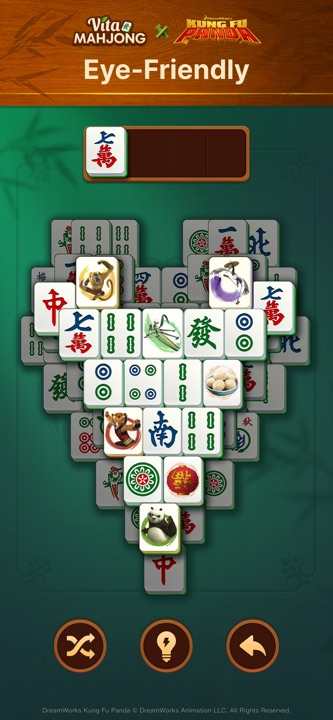
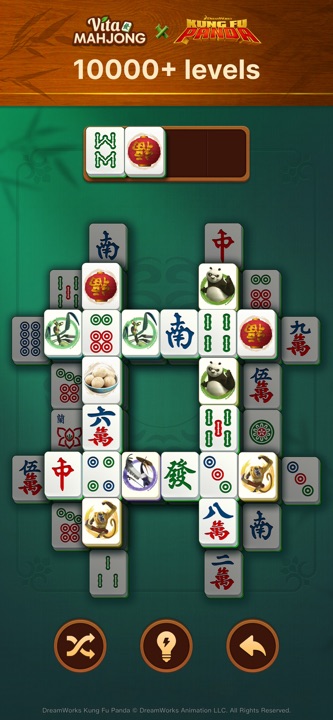
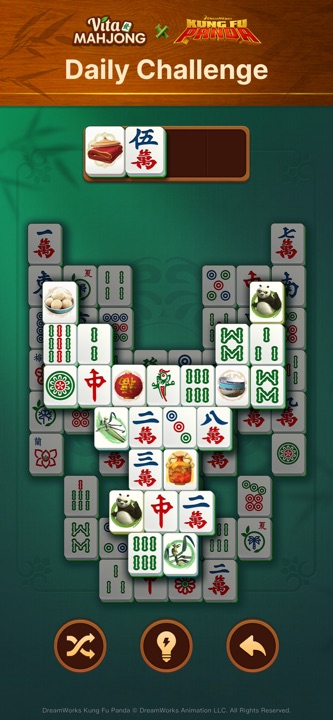
What the screenshots show
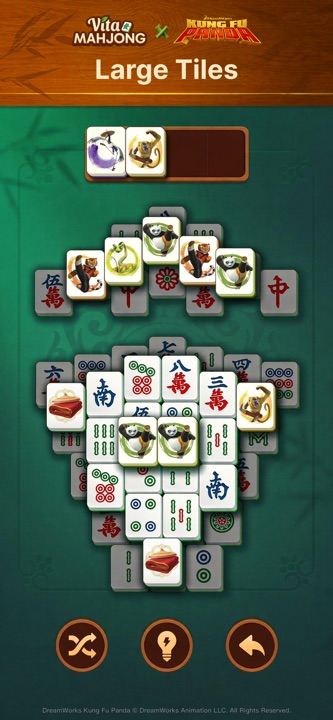
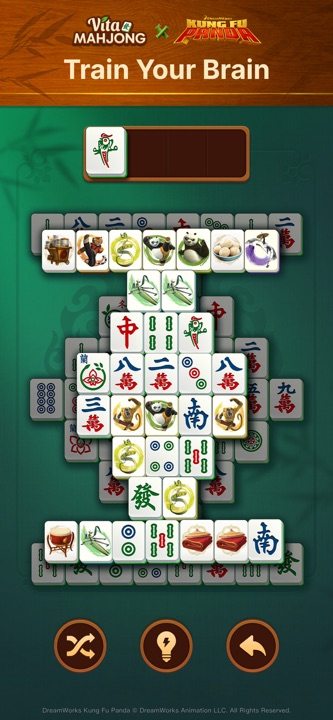
The source promotional images highlight large tiles, more than 10,000 levels and Daily play. They describe the mobile app, not our separate browser game or the 120-layout Stgames Windows title.
The source snapshot recorded more than 100 million Google Play installs by September 2026, following the December 2023 Apple launch. These are dated store milestones, not a live counter. Apple lists compatibility for qualifying Apple-silicon Macs with its verification caveat; the similarly named Windows product is a different publisher’s game.
To try pair matching before installing anything, open Mah in the browser. Its layouts and progress stay separate from Vita Mahjong.
Frequently asked questions
Is Vita Mahjong really free?
The official app is free to download and play, with ads and optional purchases. Read the current offer before buying ad removal or a subscription.
How large is the download?
The US App Store showed 431.1 MB on November 5, 2026. Android size varies by device and release. Leave additional free space for installation and updates.
How do I update it?
Open its listing in Google Play or the App Store and choose Update if offered. Automatic updates are controlled by the store and device settings; they are not guaranteed to happen overnight.
Can I download an older version?
Official stores do not provide a general version archive. Independent APK catalogs may offer older Android builds, but downgrade compatibility and saved progress are not guaranteed.
What if Google Play will not open?
Check the store and device connection first. The source lists RuStore as a regional alternative and independent APK catalogs as another route, but their current files and purchase handling have not been independently verified here.