
Vita Mahjong Online Alternative
Play Mah, a separate open-source mahjong solitaire game, free in your browser. It uses the same basic free-pair rule as Vita Mahjong, with its own 84 layouts, hints, undo and settings. It is not the Vita Studio app and does not share its levels, account or purchases.
Loading the browser game…
Start a browser board
- Follow the first-run tutorial, or skip it if you already know what makes a tile free.
- Open New Game and choose a layout. Groups include animals, architecture, shapes, symbols and plants; Turtle is in the animal group.
- Choose a random board if you would rather let the game select the layout.
- Match identical free tiles: nothing on top, with at least one side open.
- Watch the remaining-tile and available-match counters. If no matches remain, undo a choice or start again.
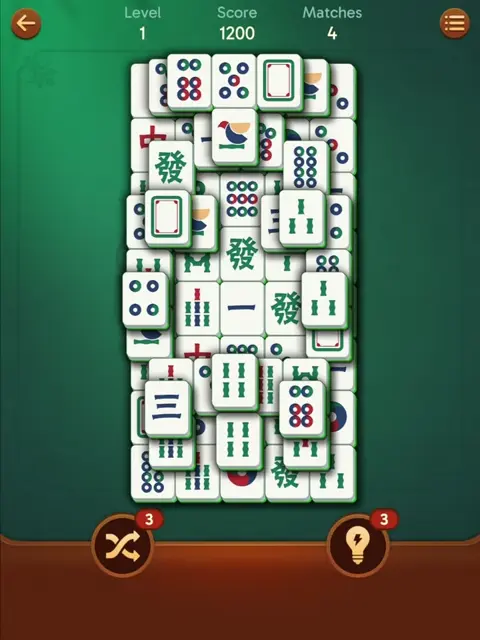
The mobile-app tutorial video below illustrates the shared free-tile rule, not identical menus or game progress.
Controls and settings
Controls sit along the game edges and may move when a phone is rotated. For a first board, choose the solvable generator and Standard mode. The random generator can produce an unsolvable deal. Expert mode removes assistance such as hints.
Try landscape orientation on a phone, then the game’s fullscreen control if supported by the browser. If symbols are hard to distinguish, inspect the higher-contrast option in Mah’s settings. These settings belong to Mah, not the Vita Studio app.
| Control | What it does |
|---|---|
| Hint | Highlights available matching pairs. |
| Undo | Reverses the last move; it can be used repeatedly. |
| New Game | Opens layouts and Mah’s own daily challenge. |
| Pause | Pauses the current session. |
| Settings gear | Language, tile set, background, contrast, sounds and timer. |
| Fullscreen | Expands the game where the browser supports fullscreen. |
Browser Mah versus the mobile app
Mah is useful for a quick board without registration. Vita Mahjong has its own main ladder, events and store purchases. A third option is the official Vita Mahjong website; it should not be confused with the game embedded here.
| Feature | Mah on this page | Vita Mahjong app |
|---|---|---|
| Installation | No app installation | Official store download; Apple snapshot 431.1 MB. |
| Account | No registration | Optional supported account connection for progress. |
| Ads | No ad integration in this embedded game | Ads and optional purchases. |
| Boards | 84 layouts and random-board choice | More than 10,000 advertised main levels. |
| Special tiles | Flowers and seasons match within their groups | Additional hidden, mystery and event items. |
| Timer | Hidden by default; optional display | Ordinary levels are untimed. |
| Connection | Needed to load this website and its files | Downloaded ordinary levels support offline play. |
Where this game saves
Mah stores game state, settings and recorded best times in this browser profile where local storage is available. Clearing site data can erase them. A different browser, device or private session does not necessarily have the same saved state. Clearing browsing history alone is not always the same as clearing site data.
No Vita Mahjong account connects to this game. See the shared matching rule and board-planning tips, but use the app’s save guide for a mobile account.
Try a board together
A tablet or computer is a straightforward way to introduce pair matching to someone who does not want an app installed. Follow the tutorial together and choose a small shape layout before a dense board. Let the player inspect the tiles rather than pointing out every match.
The older-player guide covers a later move to the mobile app. Pair matching uses attention during play, but this browser game is not a medical intervention.
The source traces computer mahjong solitaire to Brodie Lockard’s 1981 PLATO game and Activision’s 1986 Shanghai. The familiar Turtle layout uses 144 tiles. That historical layout does not mean every board in Mah or Vita Mahjong has 144 tiles.
See the mobile app’s early levels
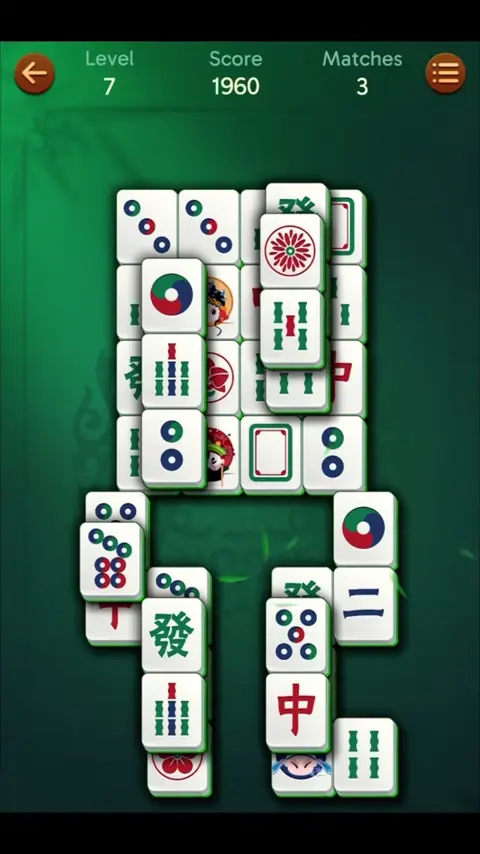
The first-ten-levels video shows Vita Mahjong’s own artwork and progression. Its matching rule is similar to Mah, while the layouts, counters and rewards differ. Read levels and leagues for the app’s progression or return to the main guide.
If the embedded game stays blank
Wait for its local files to load, then use Reload game below the frame. You can also open the game in its own tab. If it still fails, check that JavaScript and the resources needed by this game are allowed, and try a normal browser window. Reloading does not restore a Vita Mahjong app save.
When browser storage is blocked, settings or progress may not persist. Avoid clearing site data as a first troubleshooting step if a saved Mah board matters to you. This browser problem is separate from mobile-app troubleshooting.
Practice one choice, then compare it with Undo
Start a Standard board and find a legal pair before using Hint. Check that each tile is uncovered and open on at least one horizontal side. After removing the pair, look at the space it left: did it uncover a lower tile, release a neighbor or simply clear two already isolated pieces?
Use Undo to restore the previous position, then inspect another available pair. This lets you compare the immediate result of two choices without treating the first choice as a permanent mistake. It does not prove that either sequence will finish the entire board. Hidden symbols still limit what you can predict.
If you want to stop and examine the controls, use Pause. Continue Game returns you to the board. For a new layout, use New Game and read the choices before starting; a fresh board is a separate action from resuming a paused one. Keep the solvable generator selected while learning. The random generator is a different challenge and may create a deal with no complete solution.
On a narrow phone screen, make one deliberate tap at a time and check which tile was selected. Rotate the phone if the arrangement is too cramped. The mobile-app videos elsewhere on this page explain related matching ideas, but their level numbers and reward buttons do not control this browser board.
Frequently asked questions
Is this the real Vita Mahjong app?
No. This is Mah, an open-source solitaire game with its own boards and settings. For the Vita Studio app, use the official download links or inspect Play Game on its official website.
Do I need an account?
No. Mah does not require registration. Saved state depends on browser-local storage being available and retained.
Can I use a phone?
Yes, with a compatible browser. Landscape orientation can make the layout easier to read; a tablet or computer provides more room. Some narrow layouts may rotate the board to fit.
Is there a timer?
The timer display is hidden by default. Enable Show game timer in settings if you want to track time and available best-time records.
What if no moves remain?
Use Hint to check for an available pair. At zero matches, undo recent moves or begin again. A solvable deal has at least one solution, but a poor sequence can still lead to a dead end.
Will my Vita Mahjong progress appear here?
No. Mah has no connection to the mobile app account, levels or badges. Use the app’s supported save method for device transfers.